

Compatible devices
Will mom iptv work on my device?
Almost certainly, if it was made in the last few years. Find your device below to see what setup involves, what it is best for and where to get the full guide.
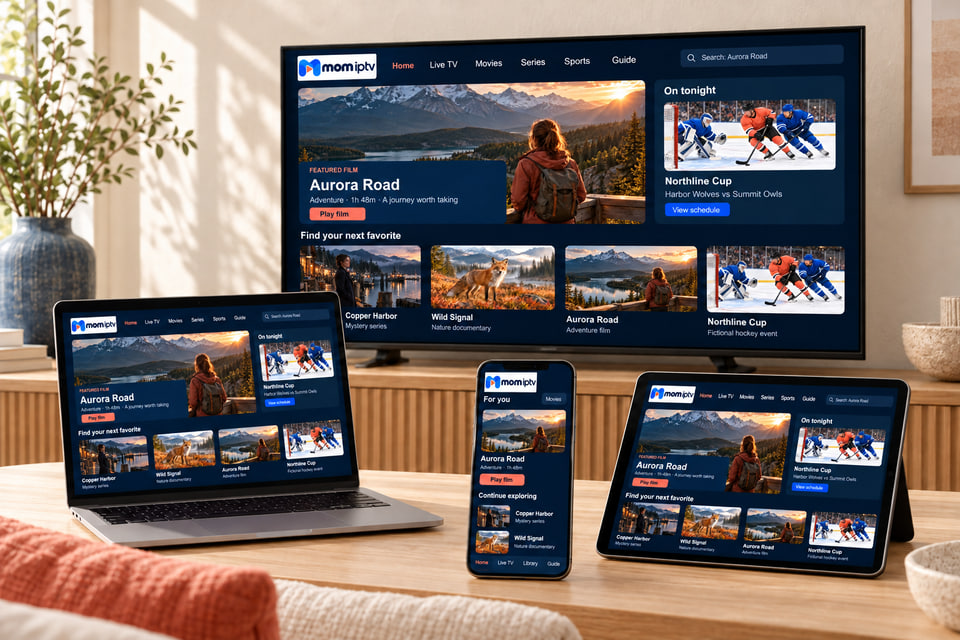
Supported devices
Smart TV
Samsung (Tizen), LG (webOS), Android TV and Google TV sets from about 2018. Install the player from the built-in app store.
Fire TV Stick
Fire TV Stick HD, 4K, 4K Max and Fire TV Cube. Install with the Amazon Appstore or Downloader.
Android
Android TV boxes and Google TV on Android 7 or later. Install the player from Google Play.
Apple TV
Apple TV HD and Apple TV 4K. Install the player from the App Store.
Phone & tablet
iPhone, iPad and Android phones and tablets. Install the player from the App Store or Google Play.
Computer
Windows 10/11 PCs and recent Macs. Use a desktop player app or VLC.
Phone and tablet setup is in the installation guide (phones and tablets), and computer setup is in the installation guide (computers).
Already set up? Activation and login help is on the activation page. Plans start from $6.25 a month (12-month plan, $75 paid once) on the subscription page and every plan covers the same licensed channel line-up on any supported device. Use it on all your devices, one screen at a time.
Checked by Erik, updated October 2026.
Side by side
How the main TV options compare
For the main living-room screen, these are the differences that matter day to day.
| Device | Where the app comes from | Typing your login | Network cable | Speed with live TV |
|---|---|---|---|---|
| Smart TV app | TV’s own store | Remote or device code | Usually | Varies by model |
| Fire TV Stick | Amazon Appstore or Downloader | Remote | With adapter | Good (4K models best) |
| Android / Google TV box | Google Play | Remote or phone | Yes, most boxes | Very good |
| Apple TV 4K | App Store | Remote or iPhone | Most models | Excellent |
General guidance based on typical current models. Device and store names belong to their owners.
Buying a new streaming device? Check these first
- 5 GHz Wi-Fi or Ethernet for a steady connection
- At least 2 GB of memory for smooth channel changes
- Current operating system updates from the manufacturer
Devices we do not recommend
- Roku — very few suitable player apps
- Smart TVs from before about 2017 — current apps often will not install
- Unbranded “fully loaded” boxes — outdated software and unknown apps
- Games consoles — limited player apps and awkward guides
Device questions
My Smart TV is quite old. Will it work?
Sets made before about 2017 often cannot install current player apps. If yours cannot, an inexpensive Fire TV Stick or Android TV box plugged into the HDMI port is usually the easiest fix — and often smoother than the TV’s own apps.
Does mom iptv work on Roku?
Roku’s store has very few suitable player apps, so we do not recommend it. A Fire TV Stick, Android TV box or Apple TV gives a much better experience.
Can I use a set-top box such as a MAG device?
Some portal-style set-top boxes can be used. Send us the model before you order and we will confirm whether we can set it up.
Can I cast from my phone to the TV?
Some player apps support Chromecast or AirPlay, but casting adds an extra link that can cause stutter. Installing the app directly on a TV device is more reliable for live sport.
I bought a new TV. Can I move my subscription?
Yes. Install the player on the new device and enter the same login details. If your app uses a device ID, send us the new one and we will move it across. Only one screen can stream at a time, so stop the old device before you start on the new one.
No question matches that search. Ask on WhatsApp and we will answer you directly.
Not sure about your model?
Send us the make and model — or a photo of the label on the back — and we will tell you before you buy.